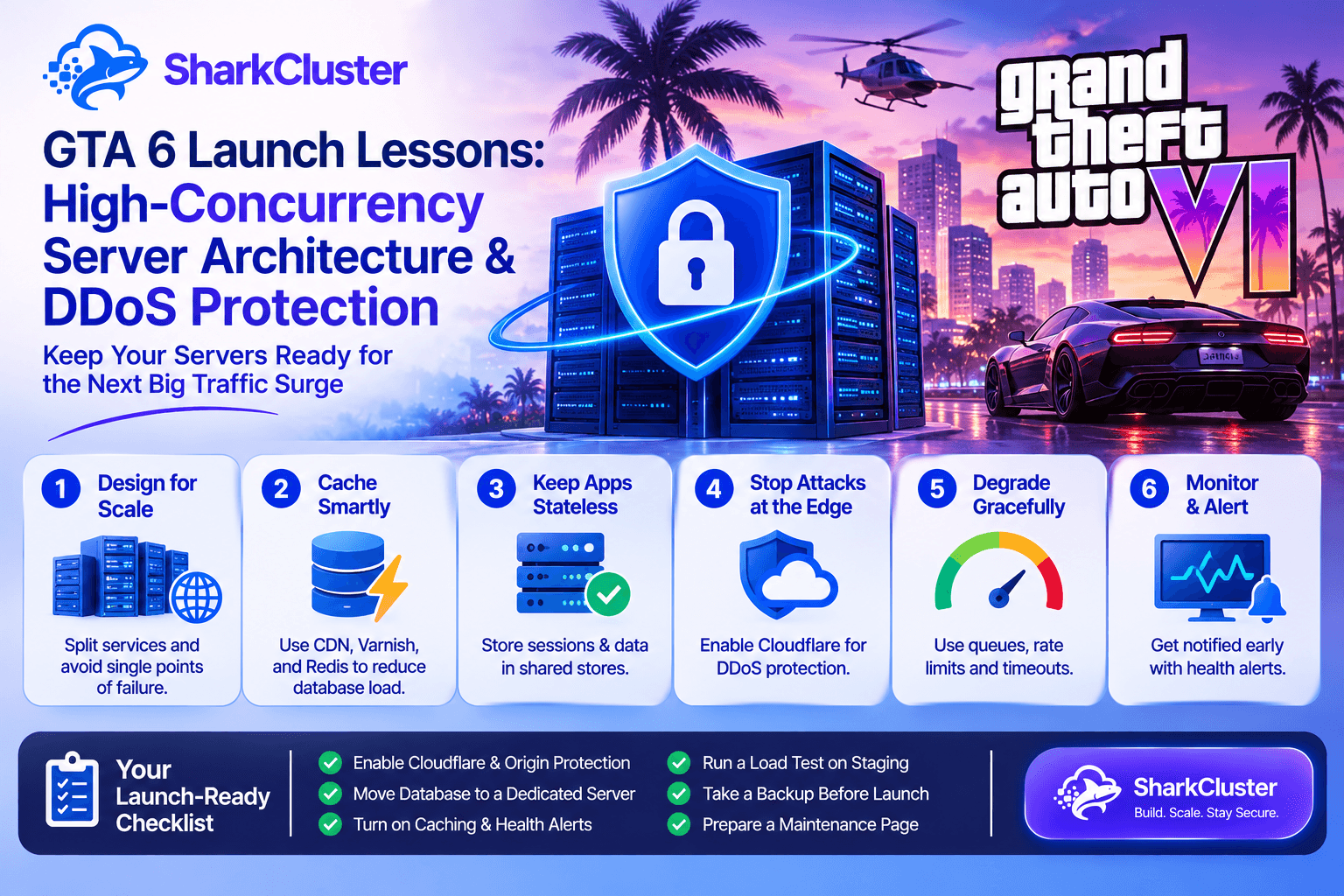

Grand Theft Auto VI is one of the most anticipated entertainment releases ever. Its open world, the state of Leonida with its Vice City, is huge, detailed and alive, and launch week means millions of players arriving at the same moment, all expecting it to just work.
You probably aren't shipping a AAA game. But if you run an online store, a SaaS product or an API, you face the same problem on a smaller scale: a product launch, a sale, a viral post or a bot attack can send many times your normal traffic at your servers with no warning. The engineering ideas that keep huge online worlds standing apply to your stack too.
A note before we start: Rockstar hasn't published how its online infrastructure is built, and this article doesn't claim to know. We use GTA 6 as a lens for well-established principles of high-concurrency architecture and DDoS defence that apply to any large online service. SharkCluster is not affiliated with Rockstar Games or Take-Two Interactive.
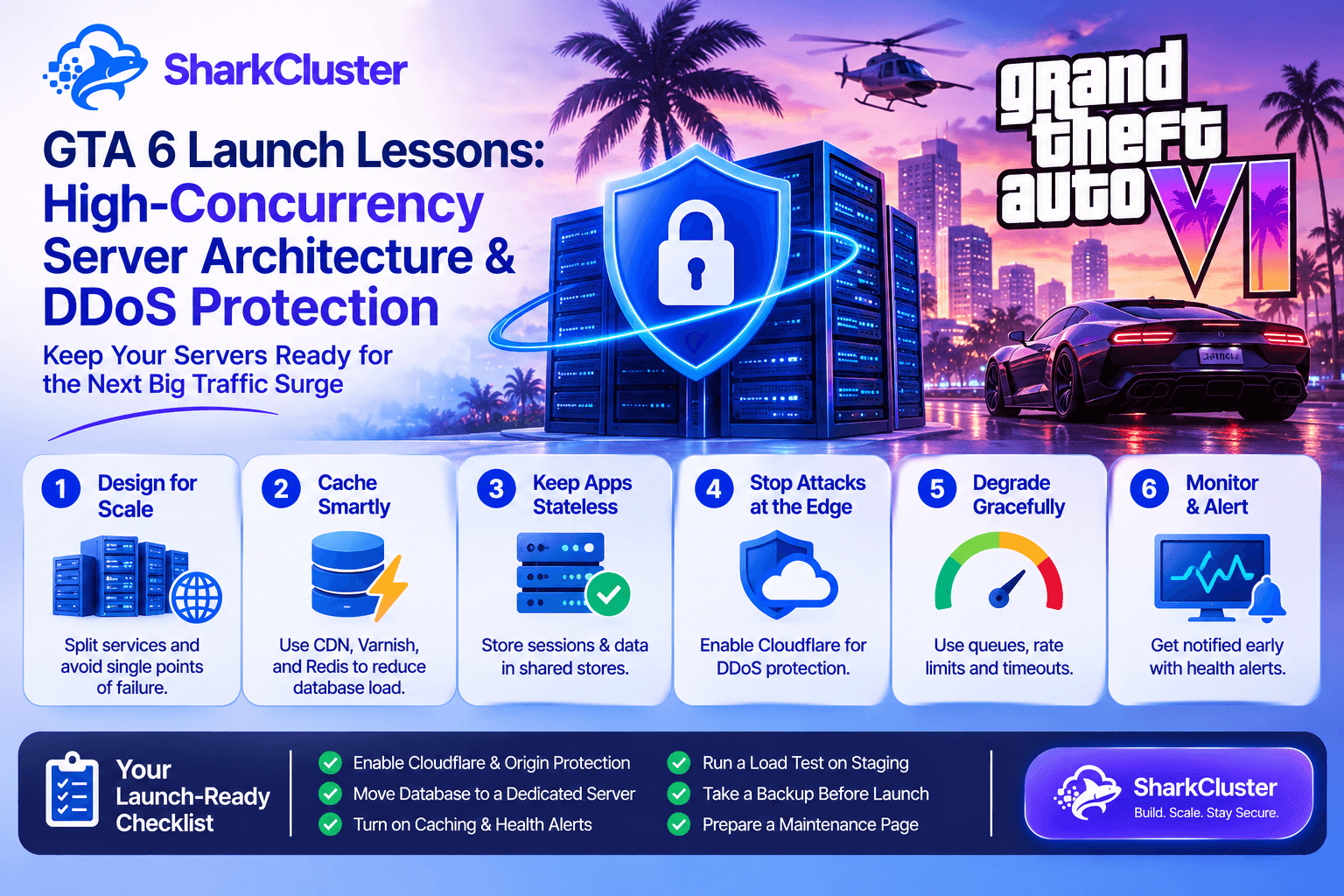
Why launch day is the hardest day
Most systems are designed for average traffic. Launch day isn't average. Three things happen at once:
- A thundering herd. Everyone connects in the same few minutes: logging in, downloading updates, loading profiles. Traffic doesn't ramp up gently; it arrives like a wall.
- Hot spots. Load isn't spread evenly. Login, matchmaking and the in-game store take far more traffic than everything else.
- Attackers notice. High-profile launches attract DDoS attacks, because taking down something everyone is watching gets attention.
Online games have a history here. GTA Online's own launch in 2013 had well-publicised connection problems in its first days, and plenty of other big launches since have had queues and outages. Launch-day scale is hard even for the best-funded teams, which is exactly why the lessons are worth learning.
Lesson 1: The open world isn't one giant server
A game world the size of Leonida isn't simulated by one machine holding every player. Large online games split the work: separate services for login, matchmaking, player data, the store and the game sessions themselves, and each game session holds only a limited number of players. When one part is overloaded, the others keep working.
For your app: split the jobs that have very different load patterns. Your web app, your database, your cache and your background workers shouldn't all fight over one server's CPU and memory.
- Move the database to its own server, so a traffic spike on the web tier doesn't starve your queries. In SharkCluster, Managed Databases give PostgreSQL, MySQL, MariaDB or MongoDB their own VPS.
- Run heavy background work (emails, image processing, reports) as separate workers or scheduled jobs instead of inside web requests.
Lesson 2: Cache everything you can
Every request that never reaches your database is a request that can't slow it down. Games cache player profiles, item catalogues and world data aggressively, because reading the same data from disk millions of times a minute would crush any database.
| Layer | What to cache | Where in SharkCluster |
|---|---|---|
| Edge (CDN) | Images, CSS, JavaScript, downloads, public pages | Cloudflare add-on on your domain |
| Full page | Pages that are the same for every visitor | Varnish Cache on the server |
| Application | Sessions, query results, rate-limit counters | Redis or Memcached |
| Code | Compiled PHP | OPcache |
On launch day, the edge cache does the most work: a visitor in Mumbai downloading your 5 MB app bundle from a nearby Cloudflare location never touches your server at all.
Lesson 3: Keep your app servers stateless
If player sessions lived in one server's memory, losing that server would kick everyone off. Large systems keep state (sessions, carts, progress) in a shared store, so any app server can handle any request and a crashed server can simply be replaced.
For your app: store sessions in Redis or your database, not on the local disk. Put uploaded files in object storage, not in a folder on one server. Then you can clone the server, add another one, or rebuild it from an image without logging anyone out.
# Laravel: store sessions and cache in Redis instead of local files
SESSION_DRIVER=redis
CACHE_STORE=redis
REDIS_HOST=203.0.113.50
REDIS_PASSWORD=YOUR_PASSWORD
REDIS_PORT=6379
Lesson 4: Stop attacks at the edge, not at your server
A DDoS attack tries to exhaust something: your bandwidth, your connections or your CPU. If attack traffic reaches your server, you've already lost part of the fight, because the server has to spend resources just to reject it. The answer is to filter traffic before it arrives, at a network big enough to absorb it.
| Attack type | What it targets | Defence |
|---|---|---|
| Volumetric (UDP floods, amplification) | Your bandwidth | Edge network absorbs it; your origin never sees it |
| Protocol (SYN floods) | Connection tables on servers and firewalls | Edge proxy terminates connections for you |
| Application layer (HTTP floods) | Expensive pages: login, search, checkout | Rate limiting, bot protection, challenge pages |
| Credential stuffing | Login forms | Login protection and rate limits on auth endpoints |
In SharkCluster, putting a domain behind Cloudflare takes one switch and one CNAME record. You get always-on DDoS protection plus rate limiting, bot protection, login protection, country rules and firewall rules, managed from your SharkCluster dashboard. See how to integrate Cloudflare for your domain in SharkCluster.
Don't forget the back door. Edge protection only helps if attackers can't go around it. Once your site is behind Cloudflare, make sure your server only accepts web traffic from Cloudflare (SharkCluster's Origin Protection does this), and don't publish your server's real IP in DNS records, emails or old subdomains.
Lesson 5: Degrade gracefully, don't fall over
When demand truly exceeds capacity, the best systems don't crash; they slow down in a controlled way. That's why big launches use login queues: a queue with a progress bar is frustrating, but a server that crashes for everyone is far worse.
- Rate limit expensive endpoints. Login, search and checkout should have stricter limits than static pages.
- Set timeouts everywhere. A slow external API shouldn't hold your worker processes hostage.
- Have a maintenance page ready. If you must pause, show a clear message instead of an error page.
- Turn off non-essential features such as recommendations or live counters during a spike, so the core flow keeps working.
Lesson 6: You can't fix what you can't see
Live-service games watch their systems second by second. You don't need a war room, but you do need to know your server is struggling before your users tell you.
Turn on health alerts in SharkCluster for CPU, RAM, disk and failed services. Metrics are checked every minute, and you get an email and a dashboard notification as soon as a limit is crossed. For launch week, lower the limits a little so you get earlier warnings.
Your pre-launch checklist
Whether it's a product launch, a Black Friday sale or a big announcement, run through this list a week before:
- Put your domain behind Cloudflare and turn on rate limiting and bot protection for login and checkout.
- Hide your origin: enable Origin Protection and check no DNS records expose the server IP.
- Move the database to its own server and point sessions and cache at Redis.
- Turn on Varnish or edge caching for pages that are the same for everyone.
- Load test a staging copy. Clone your app or server and hit it with a load-testing tool such as k6 to find the breaking point before your users do.
- Upgrade the server plan ahead of time if the load test shows you're close to the limit. Resizing during an outage is stressful.
- Turn on health alerts with slightly lower limits for launch week.
- Take a fresh image or backup so you can roll back quickly if a hotfix goes wrong.
- Prepare a maintenance page and decide in advance which features you'll switch off under pressure.
# A simple k6 load test against a staging copy (never against production)
# Save as launch-test.js and run: k6 run launch-test.js
import http from 'k6/http';
import { sleep } from 'k6';

export const options = {
  stages: [
    { duration: '2m', target: 200 },  // ramp up
    { duration: '5m', target: 200 },  // hold
    { duration: '1m', target: 0 },    // ramp down
  ],
};

export default function () {
  http.get('https://staging.example.com/');
  sleep(1);
}
Launch day doesn't test your code. It tests your architecture.
Wrapping up
You don't need a AAA budget to borrow AAA ideas. Split the parts of your stack that fight for resources, cache aggressively, keep app servers stateless, stop attacks at the edge, degrade gracefully, and watch your metrics. Do those six things and your next launch day can be about celebrating, not firefighting.
Ready to get your stack launch-ready? See SharkCluster plans or talk to our team.
Run this on your own VPS
Deploy servers and applications on infrastructure you own, managed from one panel — backups, caching, firewall and monitoring included.