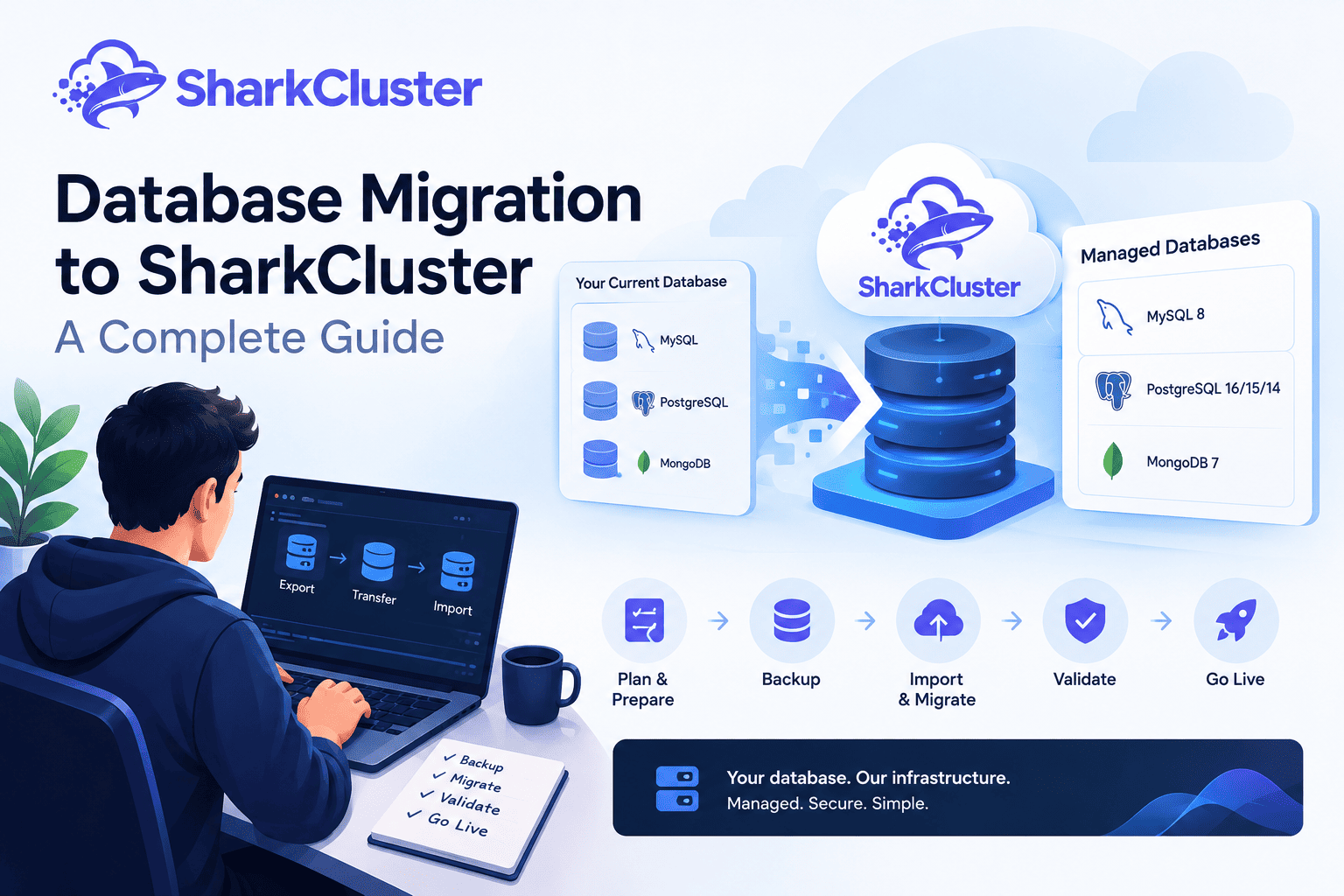
Database migration is the process of transferring data, database structures, users, and application dependencies from one database environment to another. A successful database migration necessitates careful planning, whether you are consolidating infrastructure, moving an existing application to a new server, or setting up a new production environment.
It is not enough to simply export a file and import it somewhere else to move a database. Database compatibility, backups, access controls, credentials, application configuration, data validation, downtime, and rollback procedures are all important aspects to take into account.
A database environment on a virtual private server that is managed and provisioned by SharkCluster is provided by SharkCluster Managed Databases. Instead of relying on a separate managed database service provided by a third party, you get the database host, database engine, and management panel all in one place. SharkCluster currently supports MongoDB 7, MySQL 8, and PostgreSQL 16, 15, and 14.
The platform includes features for database import and export, backup and restore, database users, access controls, connection details, monitoring, and configuration management.
This guide explains how to migrate a database to SharkCluster, from preparing the source database and creating backups to importing the data, validating the result, switching the application, and maintaining a rollback path.
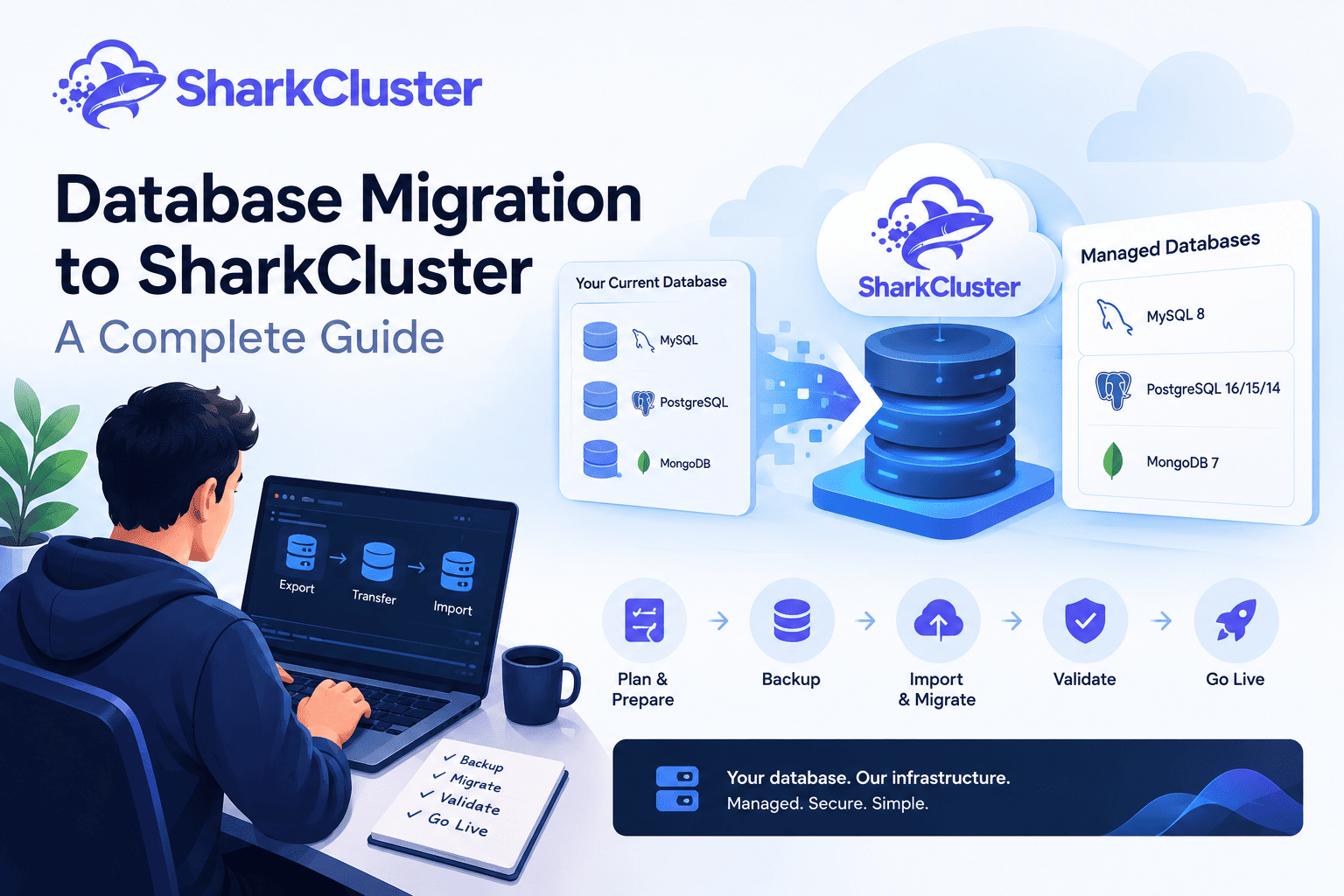
1. Pre-Migration Checklist
Know exactly what is being moved and what the destination environment requires before beginning a database migration.
Document the source database first:
- Database engine
- Database version
- Database name
- Database size
- Tables and collections
- Database users
- Permissions
- Character set and collation where applicable
- Application connection details
- Database objects like stored procedures, triggers, or other things
- Current backup process
- Expected time off
The first compatibility check is the database engine and version. SharkCluster currently supports PostgreSQL 16, 15, and 14 in addition to MongoDB 7 and MySQL 8.
Before creating the destination cluster, find out which engine and version your application is currently running on.
Check the source environment
For MySQL:
mysql --versionFor PostgreSQL:
psql --versionFor MongoDB:
mongosh --versionAdditionally, ascertain the database's approximate size and ensure that you have sufficient storage and time for the migration.
Review application dependencies
The database is normally only one part of an application stack.
Check whether your application also depends on:
- Redis
- Search services
- Queue workers
- Cron jobs
- File storage
- External APIs
- Environment variables
- Application-specific database users
This is particularly important when moving an application and database together.
Prepare the destination
Before migrating production data, create the SharkCluster database cluster with the required:
- Cluster name
- Database engine and version
- VPS plan
- Region
- Allowed IP addresses
SharkCluster uses ordinary VPS plans for managed database clusters because the cluster runs on a VPS. Once provisioning starts, SharkCluster displays an installation log while the VPS is ordered and the database environment is installed. Provisioning typically takes around 3–6 minutes.
2. Database Backup Strategy
A reliable backup is the first step in a secure database migration. Create a new backup and check that it can be restored before making any changes to the source database.
SharkCluster provides two backup locations:
- Local backups stored on the cluster's VPS
- Offsite backups additionally copied to object storage
Local backups are faster to restore and do not incur separate storage charges, but they are lost if the server itself is lost. Offsite backups survive loss of the server and are billed according to storage usage.
Create a backup before migration
SharkCluster's Backups tab provides a Back up now action that can create an immediate dump for one database or all databases. Automatic schedules are also available, including daily, weekly, 14-day, and monthly schedules, with configurable retention.
For a migration, take a fresh backup immediately before the final migration or cutover.
MySQL
mysqldump \
  --host=SOURCE_HOST \
  --user=SOURCE_USER \
  --password \
  --single-transaction \
  --routines --events --triggers \
  SOURCE_DATABASE > mysql-backup.sql
PostgreSQL
pg_dump \
  --host=SOURCE_HOST \
  --username=SOURCE_USER \
  --dbname=SOURCE_DATABASE \
  --format=custom \
  --file=postgres-backup.dump
MongoDB
mongodump \
  --uri="SOURCE_MONGODB_URI" \
  --db=SOURCE_DATABASE \
  --out=./mongo-backup
Replace the example values with your actual connection details. Enter passwords securely rather than placing them directly in shell commands. Confirm that the database account has sufficient privileges and that the backup contains all required data, schema objects, and metadata.
Before importing: Verify that the backup files exist, are readable, and can be restored. Take the destination's supported safety backup before importing or overwriting existing data.
Test the restore process
A backup should not simply exist; you should know that it can be restored.
SharkCluster permits the restoration of a completed backup into a new database without altering the existing database. This provides a useful way to verify a backup before relying on it for recovery.
For production migrations, restoring into a new database first gives you an opportunity to check the data before using it for a final cutover.
3. Replication and High Availability: What Is Supported
Replication can be useful for large production environments because it can reduce the amount of data that must be synchronized during the final cutover.
However, it is important to distinguish between migration techniques and SharkCluster's current managed database capabilities.
SharkCluster Managed Databases currently uses a single-node architecture. There is no automatic failover and no read-replica functionality.
Therefore, do not treat a SharkCluster database cluster as a built-in primary/replica migration architecture. Instead, migration can be handled through the supported import/export and backup/restore workflow.
For a database that can tolerate a controlled maintenance window, a straightforward approach is:
Source Database
 |
 | Export / Dump
 v
Migration File
 |
 | Import
 v
SharkCluster Database
Replication should be planned and managed separately in accordance with the database engine and infrastructure architecture in larger or more complex environments where continuous replication is required.
The important thing is to choose the migration method based on the size of the database, the amount of downtime that is acceptable, and the consistency requirements of the application.
4. Process of Migration: Step-by-Step
The actual migration can begin when the backup strategy and destination cluster are prepared.
Step 1: Create the SharkCluster database cluster
From SharkCluster, create a Managed Database cluster.
Select:
- Cluster name
- Engine and version
- Plan
- Region
- Allowed IP addresses
- Terms and conditions
Open the cluster after provisioning is finished, and then continue configuring the database.
Step 2: Get access to the database
Open the Access tab to set the IP addresses or CIDR ranges that should be allowed to access the database.
This step is essential because emptying the country and IP allow-lists indicates that the database port is accessible to everyone. Add your application server's IP address before connecting it to the new database.
If your application server and database cluster are in the same region, use the VPC address where appropriate. The VPC connection remains inside the private network and does not use the public firewall path.
Security warning: If the database port is reachable from the public internet and no IP allow-list restrictions are configured, the database may be accessible to connection attempts from any IP address. Authentication alone is not a substitute for network restrictions. Allow only trusted source IP addresses, keep database credentials secure, and avoid exposing database ports publicly unless necessary.
Step 3: Create the destination database
Open the Databases tab and create the database. Both the database and a user for it are created by SharkCluster. The credentials are displayed once and are also retained on the database's own page for later access.
Record the database name and credentials securely.
Step 4: Obtain the source database dump
Create a dump from the source environment using the database engine's supported dump tools. The resulting file should be compatible with the destination engine.
SharkCluster's import feature supports:
.sql.gz.sql.archivefor MongoDB
Importing .zip files is currently not supported.
Step 5: Import the database
Open the destination database and select Import / Export. Upload the migration dump.
SharkCluster performs validation before modifying the database. It checks that:
- The dump matches the database engine
- The file format is valid
For example, a MySQL dump uploaded to a PostgreSQL cluster is rejected instead of being allowed to fail halfway through the import. A file claiming to be gzip but containing invalid gzip data is also rejected.
Step 6: Understand what happens during import
After the initial validation, SharkCluster follows a controlled import process. First, it creates a safety backup. If that safety backup fails, the import does not start.
It then:
- Creates missing roles referenced by the dump
- Drops and recreates the destination database
- Loads the dump
- Transfers ownership of imported objects to the cluster's database user
This is particularly useful when the source dump references roles such as postgres that do not exist on the destination environment.
Because the import replaces the database contents, confirm that you have selected the correct destination database before starting.
5. Validation and Testing
After importing the database, do not immediately point production traffic at it. First validate the database itself and then test the application.
Check database objects
Verify that important objects were imported:
- Tables
- Collections
- Indexes
- Views
- Triggers
- Procedures
- Constraints
- Users
- Permissions
The exact objects depend on the database engine.
Check important records
Compare important record counts between the source and destination.
For example:
SELECT COUNT(*) FROM users;Repeat the check for important application tables. For MongoDB, compare important collection counts and verify representative documents.
Test database connectivity
To obtain the database host, port, connection string, and credentials, use the Connection tab. SharkCluster supports both public and VPC connection information. The connection string can be displayed in the selected format and copied from the panel.
If the application server is in the same region, test the VPC connection where appropriate.
Test the application
Database validation alone is not enough.
Test application workflows such as:
- Login
- Creating records
- Updating records
- Searching
- File-related operations
- Background jobs
- Reports
- API requests
- Transactions
The goal is to confirm that the application can both read from and write to the migrated database.
6. Cutover Strategy
The cutover is the point where the production application begins using the SharkCluster database.
For smaller databases, the process can be relatively straightforward. For production systems, schedule the cutover during a controlled maintenance window when possible.
A typical workflow is:
Prepare Destination
 ↓
Create Final Source Backup
 ↓
Import Database
 ↓
Validate Data
 ↓
Pause Application Writes
 ↓
Perform Final Sync / Import
 ↓
Update Database Connection
 ↓
Restart Required Services
 ↓
Run Application Tests
 ↓
Resume Production Traffic
Update application configuration
Update the application's database host, port, database name, username, and password.
For example:
DB_HOST=your-sharkcluster-host
DB_PORT=3306
DB_DATABASE=production
DB_USERNAME=application_user
DB_PASSWORD=your_secure_password
Use the correct port and configuration for your database engine.
Use VPC connectivity when appropriate
If the application server and SharkCluster database are located in the same region, the VPC address can keep database traffic inside the private network. This can also reduce exposure of the database connection to the public network.
7. Post-Migration Verification
After cutover, continue monitoring the application and database. The SharkCluster cluster overview provides CPU, RAM, and disk graphs over a selectable time window. Use these metrics alongside application monitoring to identify unexpected resource usage.
Check database activity
The Logs & Queries tab provides engine logs, running queries, and query statistics. Engine logs come directly from the database container and can be especially useful when investigating startup or database-level problems.
Review:
- Database errors
- Slow or unexpected queries
- Connection problems
- Resource usage
- Application errors
Verify background processes
Confirm that all services depending on the database are working correctly.
Check:
- Queue workers
- Scheduled jobs
- Cron tasks
- API services
- Reporting processes
- Integrations
A successful website response does not necessarily mean the complete application has been migrated successfully.
Enable ongoing backups
After the migration is stable, configure the backup schedule appropriate for the application. Consider whether offsite backup is required for your recovery requirements. Offsite backups provide protection if the cluster's VPS itself is lost.
8. Rollback Procedures
A rollback plan should be prepared before production cutover.
The simplest rollback scenario is when the source database remains unchanged after migration. In that case, if a serious problem occurs, the application can potentially be pointed back to the original database.
However, rollback becomes more complicated once new production writes are made to the SharkCluster database.
For example:
Original Database
 |
 | Migration
 v
SharkCluster Database
 |
 | New Production Writes
 v
 Problem
 |
 v
 Rollback
If users have created or modified data after cutover, switching back to the old database may result in lost changes. Before rollback, determine whether the new writes can be exported and reconciled with the original database.
Use SharkCluster safety backups
SharkCluster's import workflow automatically creates a safety backup before replacing the destination database. If that backup cannot be created, the import does not proceed.
SharkCluster also allows completed backups to be restored into a new database for inspection, or restored over an existing database after confirmation and an automatic safety backup.
Keep the original source environment available until the migration has been fully verified.
Remember that SharkCluster currently does not provide point-in-time recovery. Recovery is based on the available backups, meaning the potential recovery point depends on your backup schedule.
9. A Workflow for Migrating Databases Again and Again
A database migration ought to be viewed as a controlled change to the infrastructure rather than a one-time file transfer.
A SharkCluster workflow that can be repeated can look like this:
Assess Source Database
 ↓
Choose SharkCluster Engine & Plan
 ↓
Configure Access
 ↓
Create Destination Database
 ↓
Create & Verify Backup
 ↓
Export Source Database
 ↓
Import into SharkCluster
 ↓
Validate Data & Permissions
 ↓
Test Application
 ↓
Final Cutover
 ↓
Monitor
 ↓
Enable Backup Schedule
 ↓
Retain Rollback Path
This workflow can be adapted depending on the size of the database, application architecture, acceptable downtime, and recovery requirements.
Don't forget encryption
For PostgreSQL and MySQL, SharkCluster provides an Encryption in Transit option. Enabling it generates a certificate on the host and restarts the database with TLS required. Afterward, the CA certificate can be downloaded from the Connection tab and used by clients that need it.
For production databases handling sensitive application data, review the application's connection requirements before enabling TLS so that clients are configured with the appropriate certificate.
Conclusion
Moving data from one server to another is only one part of a successful database migration. The process should include compatibility checks, verified backups, controlled imports, access configuration, application testing, production cutover, monitoring, and a documented rollback procedure.
SharkCluster provides these database management capabilities within its managed database environment, including database creation, connection details, import/export, backups, restore, access controls, monitoring, and configuration management.
At the same time, understanding the platform's current architecture is important. Single-node SharkCluster managed database clusters lack automatic failover, read replicas, and point-in-time recovery.
By planning around those capabilities and limitations, teams can create a migration process that is predictable and easier to recover if something goes wrong.
Whether you are migrating a MySQL application, moving PostgreSQL to a new environment, or transferring a MongoDB workload, the same core principles apply: prepare carefully, protect the data, validate before cutover, and maintain a recovery path.
Migrate Your Database to SharkCluster
Ready to move your database to a managed environment?
Create a SharkCluster Managed Database, configure access, import your database, validate the application, and establish a backup strategy for ongoing protection.
Plan the migration. Protect your data. Validate every step. Manage your database infrastructure with SharkCluster.
Run this on your own VPS
Deploy servers and applications on infrastructure you own, managed from one panel — backups, caching, firewall and monitoring included.